
AI Agents for Business: Customer Support, SEO, and ERP Automation
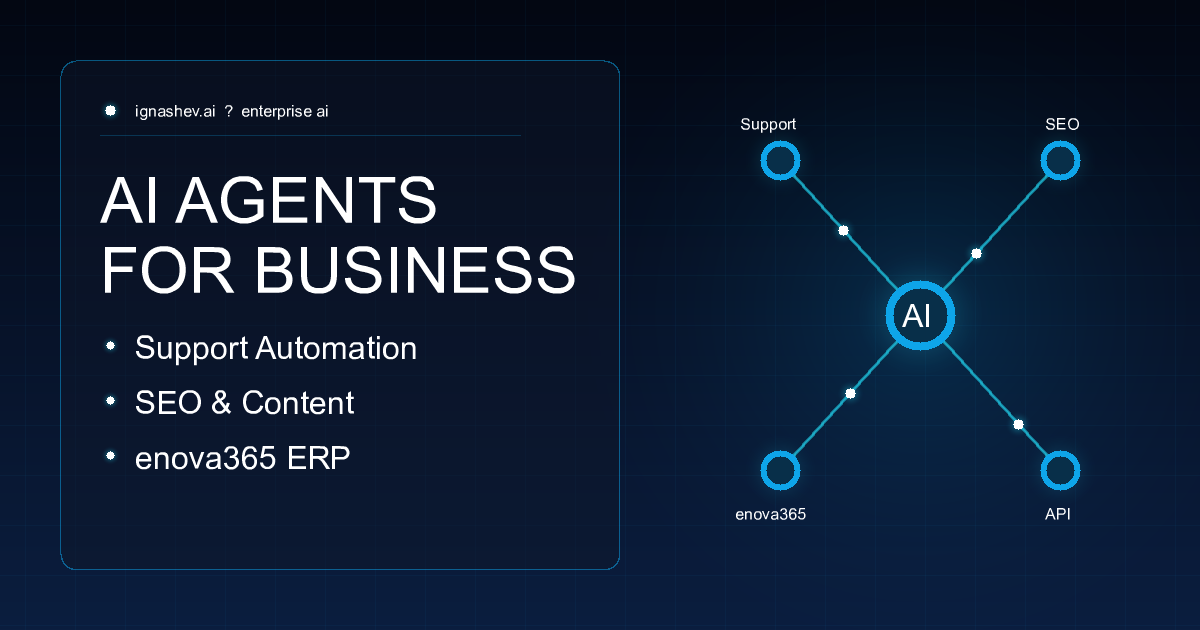
Expanding Business Horizons with AI Agents
The business landscape in 2026 is rapidly evolving. We are no longer talking about simple chat-bots that respond with pre-defined rules. The current era belongs to autonomous AI agents — specialized digital entities that can plan, reason, integrate with existing enterprise tools, and execute end-to-end tasks with minimal human intervention.
In this article, we dive deep into three highly practical use cases of AI agents that are driving measurable ROI for businesses today: Customer Support AI with custom Q&A databases, Autonomous SEO agents, and ERP order processing bots for enova365.
1. AI Customer Support Agents with a RAG Knowledge Base
Traditional click-based chatbots are static and often frustrate customers. Modern AI support agents work on a completely different paradigm, leveraging RAG (Retrieval-Augmented Generation) over a custom database of questions and answers.
How It Works:
- Single Source of Truth: The business curates a database of information — FAQs, policies, user guides, or inventory sheets.
- Semantic Retrieval: When a customer asks a question, the agent performs a semantic search to retrieve the most relevant fragments, understanding slang, typos, and intent.
- Grounding & Response: The Large Language Model (LLM) reads the question and retrieved facts, generating a friendly and highly accurate answer aligned with the company's brand voice (Tone of Voice).
- Human Escalation: If the query is complex or sensitive, the agent seamlessly hands over the conversation to a human manager, complete with the full chat history.
Business Value:
- Instant 24/7 Support: Lowers waiting times to under 3 seconds.
- Up to 80% Automation: Resolves routine queries (return terms, shipment updates, product specs) autonomously.
- Cost Efficiency: Significantly reduces support ticket volume and costs.
2. SEO Agents: Your Autonomous Content Team
Search Engine Optimization is a continuous loop of keyword research, competitor analysis, writing, and formatting. An SEO AI agent automates these workflows, acting as a tireless editor and copywriter.
How It Works:
- Search Intent & Gap Analysis: The agent monitors search rankings, identifying gaps in competitor content and high-value keywords.
- Semantic Clustering: Groups keywords semantically into targeted content plans.
- Structured SEO Drafting: Writes comprehensive articles, blogs, and product descriptions. It formats sections (H1-H4), tables, lists, and embeds critical keywords naturally while crafting optimized metadata.
- Internal Linking Engine: Automatically analyzes site architecture and suggests links to pass page rank and improve indexing.
Business Value:
- Unrivaled Scalability: Scale content production 10x without expanding your team.
- Organic Traffic Boost: Constant, high-quality blog updates build topical authority in search engines like Google.
- Cost Reduction: Drastically reduces external agency copywriter bills.
3. Order Processing AI Agents for enova365 ERP
For distributors and B2B wholesalers, keying in manual orders from emails is a major operational bottleneck and error source. Incoming orders arrive as unformatted text, PDF attachments, or spreadsheet templates. An AI email-to-ERP agent automates this process for the enova365 ERP system.
How It Works:
- Inbox Surveillance: The agent actively monitors incoming B2B order emails (e.g.,
orders@company.com). - Multimodal Data Extraction: Using LLMs, the agent extracts details from the email and any attached PDF/Excel files (including buyer tax NIP, SKU codes, quantities, and delivery dates).
- Semantic Mapping: Matches customer terminology to official inventory codes in your ERP database (e.g., matching 'Lubart Keg 50l' to the canonical system SKU).
- Order Drafting in enova365: Integrates with enova365 via API or database hooks to draft a Customer Order (Zamówienie od odbiorcy - ZO).
- Smart Alerts: Managers review and confirm draft orders with one click. If any pricing discrepancy or stock shortage occurs, the agent flags the order for human review.
Business Value:
- Unmatched Speed: Cuts order entry from 25 minutes to under 30 seconds.
- Zero Errors: Prevents transcription mistakes that cause shipping errors and returns.
- Elastic Scalability: Easily handles peak holiday or seasonal order spikes without bottlenecking.
4. High-Level Technical Implementation Architecture
From a technical standpoint, building a robust AI agent is much more than calling a simple GPT API. It requires a structured loop of perception, reasoning, and action. Here is a high-level view of what a modern agent architecture looks like:
- The Core LLM (The Brain): We use advanced models (like GPT-4o, Claude 3.5 Sonnet, or fine-tuned Gemini models) that act as the reasoning engine. They don't just generate text; they determine intent and select which tools to use.
- Tools & API Integrations (The Hands): Agents are given access to specific functions (e.g., executing database queries, parsing PDFs via OCR, sending Telegram notifications, or invoking enova365 ERP web services).
- State & Memory Management (The Brain's Notebook): Unlike stateless API calls, agents use a state machine or graph (such as LangGraph or custom Python orchestration) to keep track of the current workflow state, conversation history, and pending tasks.
- Vector Database & RAG (The Knowledge): For support and SEO agents, semantic knowledge is stored as vector embeddings in specialized databases (like Qdrant, Pinecone, or pgvector) to allow instant retrieval of context.
By keeping the code modular and using standardized JSON schemas for tool-calling, developers can easily build agents that are safe, deterministic, and highly autonomous.
Conclusion: How to Get Started
Deploying AI agents isn't a future vision; it is a practical edge you can build today. Start by mapping your most repetitive tasks — whether that is support FAQ, SEO content, or manual order entry in enova365. Moving to autonomous agent workflows allows your core team to stop doing data entry and start focusing on strategic business growth.
Not sure which agent matches your operations? Let's discuss it. An AI automation specialist can assess your specific system and workflow requirements.
Let’s talk about your project
Free 30-minute consultation. We’ll figure out if and how I can help.