
Automated Posting Into enova365: How an AI Agent Writes Draft Documents via WebAPI
Two APIs, One Loop
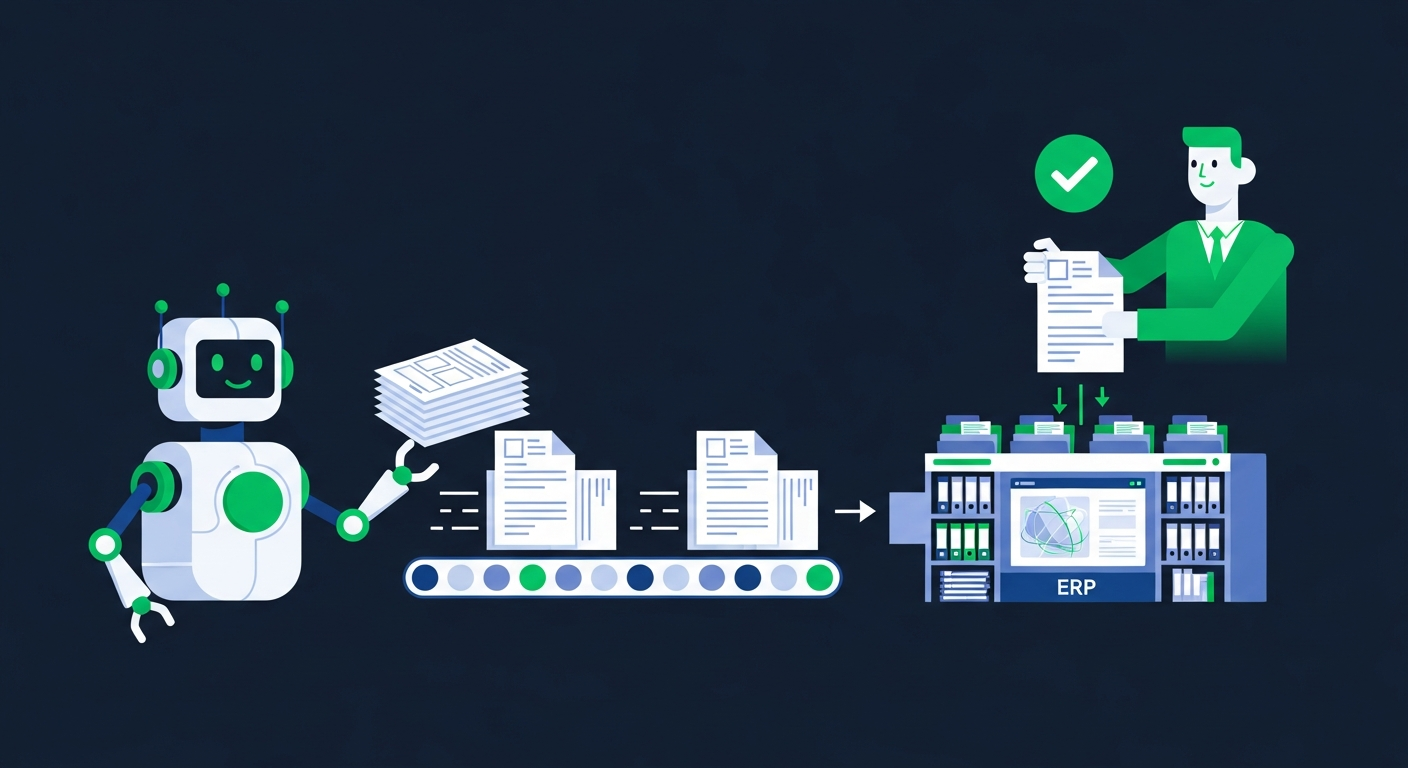
I've written two pieces that, put together, are the whole story: how KSeF turns every purchase invoice into structured data behind one API, and how enova365's Soneta WebAPI writes documents in — as reviewable drafts, never final postings. This article is about what sits between them: the agent that turns "a structured invoice arrived" into "a correct, verified draft sits in enova365's buffer, waiting for one click."
I run a version of this loop in production — not this exact accounting flow, but the same architecture, applied to wholesale order drafts written into enova365 through WebAPI. The pattern is identical: extract, map, classify, write to buffer, queue for approval. What follows is how it works when the input is invoices instead of orders.
What Comes In: KSeF XML and the PDF Tail
Two document sources feed the agent, and they are not equivalent in reliability.
KSeF invoices arrive as structured FA(3) XML through the KSeF API 2.0 — seller NIP, amounts, per-line VAT rates, dates, all already fields, nothing to read off an image. This is the majority case for domestic B2B purchases now that structured e-invoicing is mandatory, and it's the path the agent is designed around.
Email PDFs cover what KSeF doesn't: foreign suppliers, receipts, the pre-mandate stragglers. These go through an extraction step — OCR plus a language model reading the layout — that is inherently less exact than a structured field. The agent keeps this path alive because you need it, but it treats it as the exception, not the default. If you're designing a similar system, resist the temptation to build the whole pipeline around PDF extraction because "it works for everything" — it works, but less precisely, and precision is exactly what you want on the input side of an accounting write.
Both paths converge on the same normalised shape before anything else happens: seller identity, amounts, dates, VAT breakdown, line items, source document reference. From that point on, KSeF invoices and email invoices are processed identically.
Mapping the Contractor: NIP Is the Only Join Key That Holds
Before the agent can propose anything, it needs to know who the invoice is from — and specifically, which enova365 kontrahent record that maps to.
Name matching doesn't survive contact with reality. "ABC Sp. z o.o." on the invoice, "ABC Spółka z o.o." in enova365, "ABC" in a portal export — three strings, one company, and a fuzzy-match algorithm will eventually either miss a real match or, worse, merge two different companies that happen to share a name fragment. NIP doesn't have this problem. It's a unique, verifiable identifier, and it's exactly the field enova365's kontrahent records key on.
So the lookup is direct: take the seller's NIP from the invoice, query it against enova365's contractor records through a WebAPI dynamic controller, and either you get an exact match — link the invoice straight to that internal ID — or you don't. A miss doesn't trigger a guess. It routes to the exception queue with the NIP, the extracted company name, and a proposed action (create new contractor, or flag as a likely near-duplicate of an existing one) for a human to confirm. Creating contractor records automatically, without a human glance, is one of the few places I'd actively avoid full automation even after the rest of the pipeline is trusted — a wrong or duplicate contractor record is the kind of small mistake that quietly corrupts reporting for months.
The same NIP lookup is also the hook for counterparty verification before anything gets booked: active VAT status on the official whitelist (biała lista), the invoice's IBAN matched against the registered accounts, VIES for EU counterparties. I built this exact check as a standalone tool too — a Telegram bot that verifies contractors by NIP in seconds — because the check is useful on its own, outside the full posting pipeline, whenever someone just needs a fast answer before approving a payment.
Classifying the Booking
With the invoice normalised and the contractor resolved, the agent proposes the accounting side: which cost account, KUP or NKUP, VAT deductible or not, which cost centre. This isn't a single lookup table — it's a mix of hard rules (VAT law is unambiguous on plenty of cases) and a language model that has learned the specific firm or client's conventions from historical bookings. A recurring supplier that's always booked to the same account with the same VAT treatment gets classified with high confidence; a first-time supplier or an invoice type the agent hasn't seen gets a lower-confidence proposal, and low confidence is exactly the signal that routes something to a human rather than getting written silently.
Every proposed classification carries a short note explaining the reasoning — which historical bookings it matched, which rule fired, or why it's uncertain. That note travels with the draft into enova365 as a comment field, so the human reviewing it isn't starting from zero; they're confirming or correcting a specific, visible piece of reasoning.
Writing the Draft via WebAPI
This is where the WebAPI mechanics matter directly. The agent creates a purchase invoice document (FZ) through a dynamic controller, with every field the classification step produced already filled in — contractor, amounts, VAT split, account, cost centre — and one deliberate flag set: buffer status, not approved.
That single flag is the whole safety architecture in one place. enova365 still runs its own logic on the write — assigns the document number from its own sequence, applies its own VAT and pricing rules where relevant — but the document sits in buffer exactly like one a human would create and not yet confirm. It's visible inside enova365, editable, and completely inert until someone approves it. Nothing about a document in buffer status touches VAT registers or closes a period.
The agent never calls whatever separate action moves a document from buffer to approved. That step is a distinct, explicit call — and in this architecture, it's triggered only by a human action, either directly inside enova365 or through a review interface that then makes that one call on the human's behalf, tied to their identity.
The Approval Loop
The human-facing side is deliberately boring: a queue of drafts, each showing the source document (the original KSeF XML or PDF), the extracted fields, the contractor match, the proposed classification with its reasoning note, and one button. Approve confirms the document in enova365. Reject or edit sends it back with the correction captured — which, done consistently, is also the training signal that improves the next classification.
The volume that used to eat a morning — thirty, fifty, a hundred invoices — arrives pre-sorted. The accountant's attention goes to the genuinely ambiguous cases, not to retyping numbers that were already correct in the KSeF XML.
Why Drafts, Never Final Postings — Said Plainly
I'll say this as directly as I can, because it's the one design decision in this whole architecture I wouldn't compromise on even under pressure to "just make it faster": the agent never calls the approval step. Not after a trial period, not after months of clean drafts, not even for low-value, high-confidence invoices. A few reasons, stacked:
A final posting has consequences — it affects VAT registers, it affects a period that might be about to close, it affects numbers someone will sign a declaration against. Those consequences should trace back to a person's decision, not a threshold in a scoring function.
Errors compound differently depending on who catches them. A wrong draft costs one click to fix. A wrong final posting costs a correction, possibly a corrected declaration, possibly a conversation with a client about why their numbers moved after the fact.
And trust in automation like this is built by a track record of visible, correct drafts — not by removing the checkpoint that makes the track record visible in the first place. The moment you automate the approval, you lose the exact signal (a human looking at every entry) that tells you whether the system is actually working.
Designing the Exception Queue
An exception queue is only useful if it's specific about why something landed there — a pile of "needs review" items with no reasoning is just a second inbox. The queue this architecture produces routes items with a stated cause, and each cause implies a different next action:
- Unmapped contractor — NIP has no match in enova365's kontrahent records. Action: confirm creation of a new contractor, or flag as a likely rename/merge of an existing one.
- Counterparty verification failure — NIP fails the whitelist check, is inactive, or the invoice's IBAN doesn't match the registered account. Action: human judgment call before any booking happens, given the joint-liability exposure above the 15,000 zł threshold.
- Low classification confidence — first-time supplier, unusual cost type, or a pattern the model hasn't seen enough of. Action: manual classification, which then becomes training signal.
- Amount or VAT anomaly — a total that doesn't reconcile against line items, a VAT rate that looks wrong for the goods described, a split-payment (MPP) invoice that needs its net/VAT split modelled explicitly rather than assumed. Action: manual check against the source document.
- WebAPI write failure — a token expired mid-batch, the network path to the WebAPI server dropped, or the licence module briefly lapsed. Action: automatic retry with the failure logged, escalated to a person only if retries exhaust.
That last category is worth naming because it's specific to this architecture: the same failure modes I described in the WebAPI developer guide — token refresh timing, network access, licence status — don't just slow down a portal sync here. They're the difference between an invoice getting drafted on time and an invoice silently missing a monthly close. The agent's retry and alerting logic treats WebAPI connectivity as a first-class thing to monitor, not an assumption.
The Audit Trail
Every write carries a record independent of enova365's own history: the source document (KSeF reference number or the original PDF), every extracted field, the contractor-matching decision and the NIP verification query ID, the classification reasoning, who approved it and when, and — for anything that went through the exception queue — what triggered the exception and how it was resolved. This isn't optional bookkeeping about the bookkeeping; it's what makes the whole system defensible if anyone — an auditor, a tax office, the client themselves — asks why a specific entry looks the way it does, months later.
Getting Started Without Betting a Close on It
The same rule applies here as everywhere else in this kind of automation: start narrow, in shadow mode, and widen once the system is boringly correct.
Pick one cost category or one client's invoice stream. Run the agent read-only — extract, map, classify, propose — for a week or two, and compare its proposals against what a human actually booked, without letting it write anything. Then turn on draft writes for that same narrow scope, keep the exception queue in front of a person, and only widen the scope once the drafts stop surprising anyone.
I build this exact pipeline — KSeF and email in, contractor mapping and classification in between, draft-only writes into enova365's buffer via WebAPI, human approval and a full audit trail out — for Polish accounting offices and finance teams. If you want to see what it looks like on your own enova365 setup, the accounting AI agents page has the details, or just get in touch directly.
Let’s talk about your project
Free 30-minute consultation. We’ll figure out if and how I can help.