Integrating enova365 with a B2B Portal — Soneta WebAPI in Practice
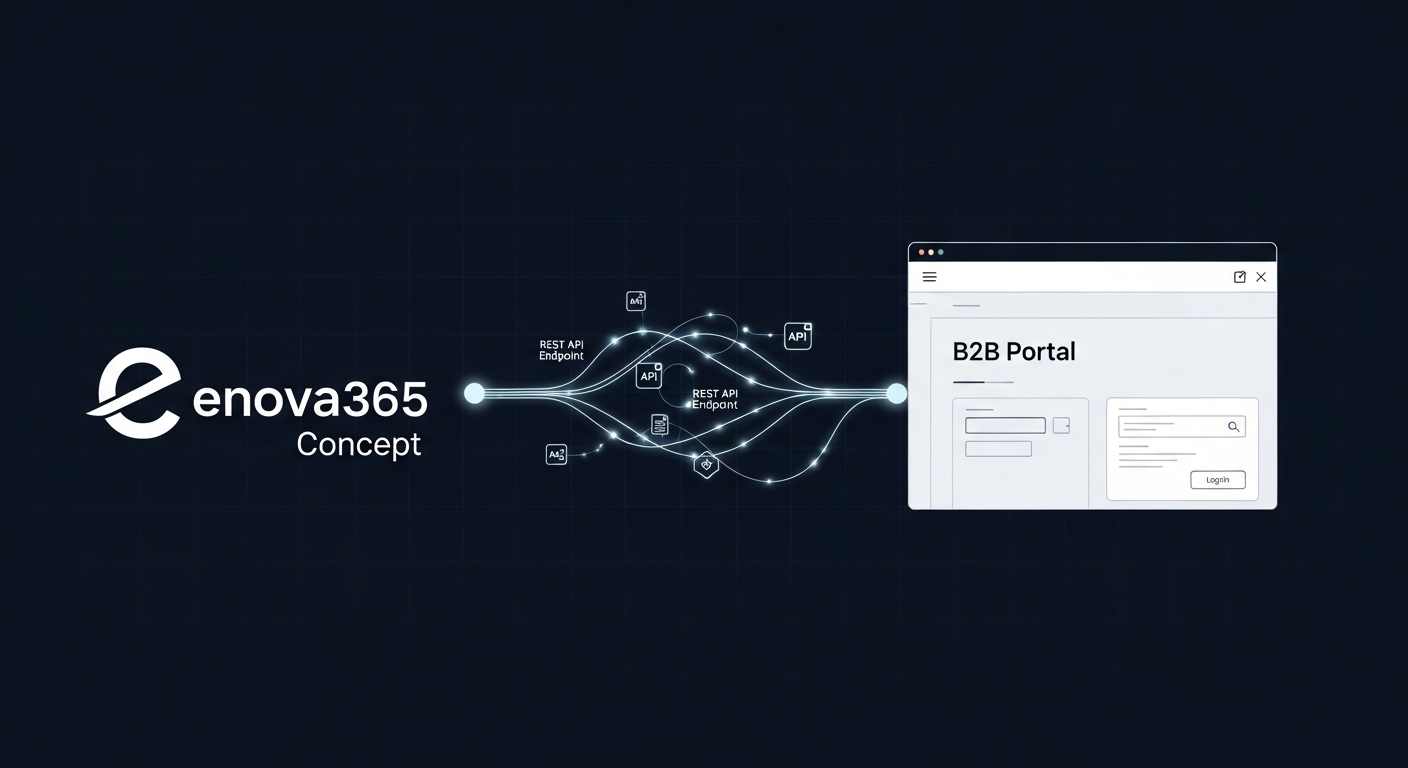
Why enova365 Is the Easiest Polish ERP to Integrate
If you have ever integrated a B2B portal with Subiekt GT or Comarch Optima, you know the pattern: chasing IT for firewall rules, working around an SDK that was never designed for cloud deployment, debugging silent XML import failures at 11 PM the night before go-live. enova365 is a different job.
Soneta built a proper REST API. Documented, versioned, consistent across releases, and it covers everything a B2B wholesale portal actually needs. Across the integrations I have done with Polish ERPs, enova365 lands at 3–5 development days for a full bidirectional setup. Subiekt GT via Sfera: 5–7. Comarch Optima via file exchange: 7–10.
The difference is not the portal. It is how much time you spend fighting the ERP side. With enova365, most of that fight does not exist.
This article is for businesses already running enova365 who want to connect a B2B wholesale portal. If you are still choosing an ERP, the comparison of B2B portal integrations with Subiekt GT, Optima, and enova365 has the full picture. For what a B2B portal does beyond the ERP layer, see the wholesale B2B portal overview.
Soneta WebAPI: What It Is and What It Does
Soneta WebAPI is the official integration module, built and maintained by Soneta. It runs as a standalone server process — separate from the enova365 desktop application — and exposes your enova365 data over HTTP/HTTPS.
Two server types exist:
WebAPI Server (REST) — the current standard. JSON over HTTP, works with any language or platform. This is what you use for new integrations.
WebWCF Server (SOAP) — the legacy variant, kept for backward compatibility with older integrations. Starting fresh? Do not touch it. Inheriting an existing WebWCF integration? A migration to REST is worth planning eventually, but it is not urgent.
Dynamic and Static Controllers
This is where enova365 earns its reputation. WebAPI offers two types of endpoints:
Dynamic controllers are auto-generated from the enova365 data model. Soneta maps most standard enova objects — products, contractors, documents, warehouses — to REST endpoints automatically. You get a working API for the vast majority of B2B portal use cases without writing a single line of enova-side code.
Static controllers are custom integrations embedded in the WebAPI server. You write them when you need business logic on the enova365 side — a complex calculation, a multi-step workflow, a non-standard data transformation that dynamic controllers cannot handle. For a standard B2B portal integration, you rarely need them.
Authentication
WebAPI uses JWT authentication. The flow:
- Portal sends credentials to the WebAPI authentication endpoint
- enova365 validates and returns a signed JWT
- Portal includes the token in every subsequent request header
- Token expires; portal refreshes it automatically
Standard OAuth-style token management. Nothing unusual. Any backend framework handles this out of the box.
Licence and Infrastructure Requirements
Sort these out before writing a single line of code.
Licence: WebAPI is a separate paid module, not included in the base enova365 package. Your reseller activates it against your licence — as a perpetual addition or monthly subscription. Call them, give them your NIP, and ask directly: "Czy moduł WebAPI jest aktywny na naszej licencji?" If it is not, get it added before the project starts. The module cost is almost always less than what you will spend building and maintaining file-based sync instead.
SQL Server: enova365 runs on Microsoft SQL Server — versions 2016, 2017, 2019, 2022, or 2025, Standard or Express. The WebAPI server needs to reach the SQL Server instance. Usually the same machine or the same LAN, so not a practical concern.
Network access: The WebAPI server must be reachable from your portal's environment. Two options:
- Open a port on the enova365 server and whitelist your portal's IP
- VPN tunnel between the portal's cloud environment and the enova365 server
Both work. VPN adds latency but avoids exposing a port to the open internet. Sort this with IT before development starts — "we will configure the firewall" is a line that routinely adds two weeks to projects.
enova365's WebAPI runs on both Windows and Linux, so cloud deployment of the WebAPI component is an option if you want everything in one environment.
What Data Flows Between enova365 and a B2B Portal
Below is the standard data map for a Polish B2B wholesale portal. Every item is covered by enova365 WebAPI dynamic controllers.
| Resource | enova365 Term | Direction | Frequency |
|---|---|---|---|
| Products | Towary | ERP → Portal | Every 60 min or on-change |
| Prices per client | Ceny per kontrahent | ERP → Portal | Every 15 min |
| Price groups | Grupy cenowe | ERP → Portal | Daily |
| Stock levels | Stany magazynowe | ERP → Portal | Every 5–15 min |
| Sales orders | Zamówienia sprzedaży (ZS) | Portal → ERP | Real-time on placement |
| Order status | Status ZS | ERP → Portal | Every 15–30 min or webhook |
| Invoices | Faktury sprzedaży (FS) | ERP → Portal | On generation |
| Invoice PDFs | PDF faktury | ERP → Portal | On demand |
| Contractors | Kontrahenci | ERP → Portal | Daily |
| Credit limits | Limity kredytowe | ERP → Portal | Daily |
| Payment terms | Warunki płatności | ERP → Portal | Daily |
| Shipping documents | WZ (wydania zewnętrzne) | ERP → Portal | On generation |
What is not typically in scope for phase one: product images (usually managed separately in a PIM or uploaded manually), custom fields added by enova365 add-ons (dodatki) unless specifically required, and multi-company setups if enova365 runs multiple legal entities.
Step-by-Step Integration Architecture
This is the architecture I use for enova365 B2B portal integrations — the full bidirectional flow.
1. Authentication
The portal's backend runs a background token manager. On startup it authenticates against the WebAPI server and stores the JWT. A refresh job runs every N minutes — before the token expires — to keep it current. Every outbound call to enova365 goes through a single HTTP client wrapper that injects the current token.
Never put enova365 credentials in frontend code. The portal's frontend calls your own backend; your backend calls enova365. Credentials and tokens stay server-side.
2. Product Catalogue Sync
A scheduled job runs every 60 minutes (or on webhook trigger, if the installation supports it). It calls the Towary endpoint, compares the response against what is already in the portal database, and upserts changes. New products are added; changed descriptions, units, or categories are updated; anything removed from enova365 is marked inactive in the portal.
Do not pull the full catalogue every time unless it is small. Request records modified after a timestamp — the WebAPI supports this. On a catalogue of 10,000 SKUs, the difference between a full pull and a delta pull is not trivial.
3. Price Sync
Individual pricing is the most critical data in a B2B portal. Clients are assigned to grupy cenowe in enova365, and may also have per-product price overrides. The portal must reflect this exactly.
The sync job runs every 15 minutes. For each active contractor, it fetches current prices from enova365. What gets stored in the portal is the final price as calculated by enova365 — never a base price with a locally applied discount percentage.
Worth saying plainly: price calculation happens in enova365, not in the portal. Reconstruct the discount logic yourself and you will eventually hit a case where the portal and the ERP disagree. A client will receive an invoice for a different amount than they confirmed. That call is not a pleasant one.
4. Stock Sync
Stock sync runs every 5–15 minutes, depending on how fast-moving the goods are. The endpoint returns stany magazynowe per lokalizacja — aggregate across warehouses or show per-warehouse availability, depending on what the portal needs.
For high-volume periods (flash sales, end-of-month rushes), drop the interval to 2–3 minutes. WebAPI can handle it. The bottleneck is usually your portal's own database write throughput, not enova365.
5. Order Submission
When a client confirms an order, the backend immediately creates a Zamówienie Sprzedaży (ZS) in enova365 via a POST to the orders endpoint. The request includes:
- Contractor identifier (enova365's internal kontrahent ID — not just the NIP)
- Line items: product ID, quantity, and the price as confirmed in the portal
- Delivery address and shipping method, if applicable
- Any order-level notes
enova365 returns the created document's ID and number. Store both. The document number (e.g. ZS/2026/04/1234) is what the client sees; the internal ID is what you use in every subsequent API call about that order.
One rule with no exceptions: let enova365 assign the document number. Never generate or suggest document numbers from the portal side. enova365's numbering sequences are tied to its internal state — external interference creates gaps and data corruption.
6. Order Status Polling
After submission, the portal polls for status updates. Standard enova365 statuses map to portal states roughly as follows:
| enova365 Status | Portal State |
|---|---|
| Nowe / W realizacji | Processing |
| Zatwierdzone | Confirmed |
| Zrealizowane | Fulfilled |
| Anulowane | Cancelled |
Poll every 15–30 minutes for active orders. Once an order reaches a terminal state (fulfilled or cancelled), stop polling it. There is no reason to keep calling the API for closed documents.
7. Invoice Retrieval
When an order moves to invoiced state, enova365 has generated a Faktura Sprzedaży (FS). The portal fetches the invoice metadata and stores the reference. When a client downloads their invoice PDF, the portal fetches it from enova365 on demand — or caches it for a configurable period. Invoice storage stays in the ERP, which is where it belongs for accounting.
Webhooks via Harmonogram Zadań
The architecture above is polling-based: the portal asks enova365 "anything new?" on a schedule. It works reliably, but it generates unnecessary load when nothing has changed.
Harmonogram Zadań (Task Scheduler) is enova365's mechanism for outbound notifications. Configured by an enova365 administrator, it fires HTTP POST requests to your portal's webhook endpoint when specific events occur:
- Order status change (the most useful trigger)
- Stock level drops below a threshold
- New invoice generated
- Contractor data updated
The webhook payload contains the changed entity's ID. Your portal receives it, immediately queries the WebAPI for the updated record, and reflects the change — usually within seconds of it happening in enova365.
Not every installation has Harmonogram Zadań set up for outbound webhooks. Check with your admin or reseller before building around it. If it is available, use it: polling intervals shrink and the portal feels noticeably more responsive. If it is not, pure polling is fine — just slightly less efficient.
To use webhooks, your portal needs a publicly reachable HTTPS endpoint. VPN-only setups require additional routing to make that work.
Pricing in enova365: Why the ERP Must Be the Single Source of Truth
Polish wholesale pricing is layered. A typical enova365 setup has:
- Cennik bazowy — the base price list, usually cost-plus or market-based
- Grupy cenowe — price groups clients are assigned to (e.g. Hurt A, Hurt B, Detalista)
- Rabaty per klient per produkt — individual product discounts on specific contractors
- Progi ilościowe — quantity-based pricing (buy 50+, get an extra 3% off)
- Promocje okresowe — time-limited discounts that activate and expire on set dates
These layers interact according to precedence rules baked into enova365's pricing engine. Replicating those rules accurately in external code is harder than it looks — and they can shift whenever someone updates a price group or tweaks a promotion.
The only approach that holds: call the enova365 pricing endpoint for the specific contractor and product. Get back the final price. Display that. Do not cache prices for longer than 15 minutes in active sessions — a price change between catalogue view and order confirmation is a real scenario, not an edge case.
At order confirmation, re-validate against enova365 one more time before creating the ZS document. If the price has changed between "added to cart" and "clicked confirm", show the client the difference. Do not quietly submit at the old price. The invoice will arrive at the new one, and the client will call you.
5 Things to Check Before Starting the Integration
These are the points that eliminate the most common delays and surprises I have seen in enova365 integrations:
1. WebAPI module is active in the licence. Not "we assume so" — confirm with the reseller and get it in writing. Also check the exact enova365 build number, not just "enova365". Some endpoint behaviour changed between major versions.
2. Network path from portal to WebAPI server exists. Send a test HTTP request from your portal's server to the WebAPI server before writing a single line of integration code. If that request fails, nothing else will work. Fix it now, not during development.
3. Get a real data export before writing sync logic. Ask for a CSV of the current product catalogue, price lists, and active contractors. Use it to understand what is actually in the system — custom fields from enova365 add-ons, unusual product structures, contractors on non-standard payment terms. Documentation tells you what is possible; the export tells you what is in use.
4. Understand the actual order workflow. How does an order move from ZS through WZ to FS in this specific installation? Not the textbook flow — the real one, with any custom statuses or approval steps. Every transition needs to map to a portal state.
5. Identify pola dodatkowe early. enova365 installations with industry-specific add-ons often have custom fields on products, contractors, or documents. Dynamic controllers expose them, but you need to know they exist to include them in the data model. Ask the enova365 administrator for the list before the mapping phase starts.
Timeline and Cost
Development time: 3–5 days for a standard full bidirectional integration — WebAPI auth setup, product and price sync, stock sync, order submission and status polling, invoice retrieval.
Calendar time: 2–3 weeks total. The gap between development days and calendar weeks is almost always the same story: waiting for network access. The WebAPI server needs to be reachable from the portal's environment. If IT needs to open a firewall port or set up a VPN, that ticket goes into a queue. Send them the exact requirements — target IP, port, protocol — before development starts.
WebAPI module cost: Varies by package and reseller. Typically a few hundred to a few thousand PLN per year depending on your licence tier. Not public pricing — get a quote. It is almost always cheaper than maintaining file-based sync, which costs more in development time and ongoing fixes.
Phase two additions: Once the core integration is live and stable, common next steps are webhook-based updates via Harmonogram Zadań (cuts polling load), multi-warehouse stock display, and portal-side order tracking with carrier integration.
The WebAPI module is only one line of the project budget. For the full picture — portal development, hosting, maintenance, and what pushes projects from 15k to 100k+ PLN — see the breakdown of real B2B portal costs in 2026.
Ready to Connect Your enova365 to a B2B Portal?
Soneta WebAPI makes enova365 the cleanest integration target in the Polish ERP market. The architecture is predictable, the data coverage is solid, and the timeline is manageable — as long as the network access question gets sorted before development begins.
If you are running enova365 and looking at B2B portals, or you have an existing portal that needs to plug into enova365, get in touch. I can look at your specific setup and tell you what the integration will actually require on your side.
For a comparison of how enova365 stacks up against Subiekt GT and Comarch Optima, see the ERP integration comparison. For what a B2B portal involves beyond the ERP layer, the wholesale portal overview and the B2B ERP integration service page cover the rest.
The Same WebAPI, One Step Further: AI Agents Posting Into enova365
Everything this article describes — JWT auth, dynamic controllers, writing documents through WebAPI — is also the foundation for something newer: accounting AI agents that read incoming invoices from KSeF and email, verify contractors by NIP, and write document drafts straight into enova365's buffer. A human approves every entry before it reaches the books.
I run this in production: my wholesale order agent writes order drafts into enova365 via Soneta WebAPI every day. If your team still retypes KSeF invoices by hand, that is the next integration worth scoping — the developer walkthrough of automated posting into enova365 shows the full architecture.
Let’s talk about your project
Free 30-minute consultation. We’ll figure out if and how I can help.