B2B Portal ERP Integration — Subiekt GT, Optima, enova365
Why ERP Integration Is Not Optional
A B2B portal without ERP integration is a half-measure. Orders land in the portal, someone manually re-enters them into the ERP, stock levels are always a day behind, and pricing errors creep in every time a handlowiec updates a spreadsheet. You have digitised the surface but left the underlying work unchanged.
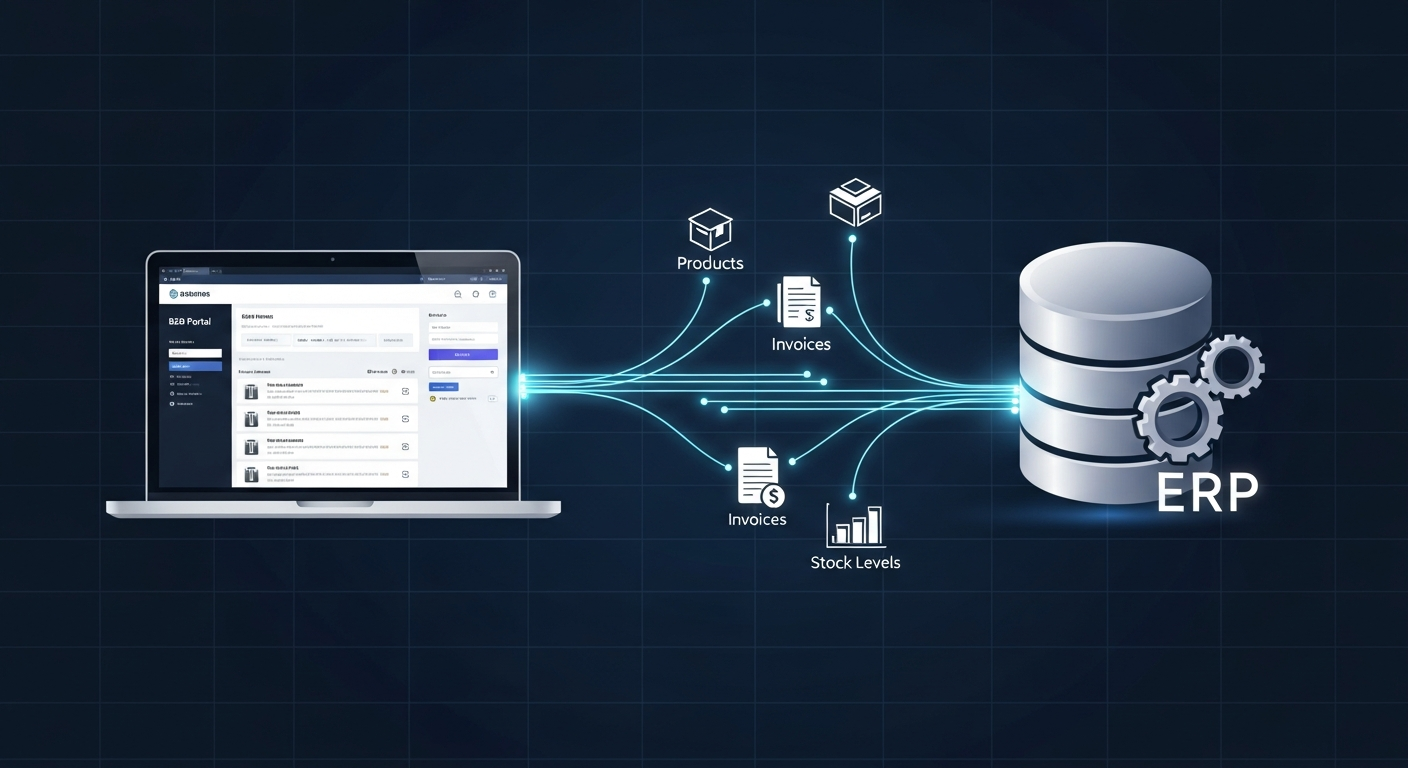
The integration is what makes the portal actually work. Products, prices, and stock flow automatically from the ERP to the portal. Orders flow back. Nobody touches a keyboard twice for the same data.
This guide focuses on the three ERP systems that cover roughly 70% of Polish wholesale businesses: Subiekt GT, Comarch Optima, and enova365. Each has its own integration reality — and the differences matter more than most vendors will tell you upfront.
The Two Integration Architectures That Actually Get Used
API Integration
The ERP exposes a structured interface — REST or SOAP — that the portal calls to read and write data. The portal fetches updated products and prices on a schedule, shows near-live stock from the API, and pushes each new order back as a sales document.
This is the cleanest approach. Data flows in near real-time, the integration is straightforward to monitor, and failures are easy to diagnose. The problem: not all Polish ERPs have mature APIs, and those that do often require extra licences.
Realistic sync frequencies with API integration:
- Stock levels: every 5 minutes
- Prices: every 15 minutes
- Product catalog: every 60 minutes or on-change webhook
- Orders: real-time on placement
File-Based Synchronization
The ERP exports structured files (CSV, XML, or JSON) to a shared location — an FTP server, a network share, or a cloud storage bucket. The portal picks up these files on a schedule, processes the changes, and drops order files back for the ERP to import.
This works with virtually any ERP, including ones where API access is locked down or requires expensive licensing. The trade-off is latency: sync intervals of 15–60 minutes, more failure points to monitor, and a higher maintenance burden when something breaks.
When file sync is the right choice: older Subiekt GT installations where Sfera licensing is not in the budget, Optima configurations where the API module is not available, or any situation where the ERP server is behind a firewall that cannot expose external endpoints.
Subiekt GT (InsERT): The Reality of Poland's Most Popular ERP
Subiekt GT runs in more Polish SMB warehouses than any other ERP. It also has no native REST API. That gap is significant, but it is not a blocker — there are three workable approaches.
Option 1: Sfera SDK
Sfera is InsERT's official integration SDK. It allows external programs to read and write data in Subiekt GT programmatically — the same way the Subiekt desktop application does, but from external code.
What Sfera can do:
- Read full product catalog with prices, units, and categories
- Read stock levels per warehouse location
- Write new orders as sales documents (ZS) with correct ERP numbering and client assignment
- Read client data and credit limits
The infrastructure requirement: Sfera runs as a Windows service on the same machine as the Subiekt GT installation. Your portal (which likely runs in the cloud) connects to this service over a network. This means you need:
- An open port from the Subiekt server to your portal's IP
- A static IP or VPN tunnel
- A Sfera license (additional cost, check with your InsERT reseller — typically 500–1,500 PLN depending on your Subiekt package)
Timeline: 5–7 days of development once the Sfera server is accessible.
The pitfall everyone hits: IT departments routinely block outbound connections from the Subiekt server. "We will configure the firewall" is a sentence that can add 1–2 weeks to your project. Get this sorted before development starts, not during.
Option 2: Direct Firebird Database Access
Subiekt GT uses a Firebird database. Reading from it directly is straightforward — Firebird has well-maintained connectors for all major languages. This is useful for:
- Full product catalog reads
- Real-time stock level queries
- Price list data
Why you should not write orders through the database: Subiekt GT has business logic embedded in its application layer — document numbering sequences, stock reservation triggers, VAT calculations. Writing directly to the Firebird tables bypasses all of this. The data gets into the database but Subiekt does not "know" an order was placed. Documents come out malformed or missing entirely.
Typical approach in practice: direct database reads for products, prices, and stock; Sfera for order submission.
Option 3: File Export
Subiekt GT can export product lists, price lists, and stock reports to CSV. If Sfera is not an option, this covers the ERP-to-portal data flow. Orders from the portal can be imported via Subiekt's XML import functionality.
Timeline: 7–10 days. Sync interval: 30–60 minutes minimum.
Comarch Optima: Capable API, Inconsistent Implementation
Comarch Optima is the second most common Polish ERP in the SMB space. It has API capabilities, but their quality and coverage depend heavily on which Optima version you are running and which modules are licensed.
Optima API
Optima offers a REST API through Comarch's integration platform. When it works, it covers:
- Products and product categories
- Contractors (your B2B clients)
- Sales documents (creating orders, reading invoices)
- Stock levels
The version problem: Optima API quality improved significantly between version 2023 and 2025. If you are running an older installation, the API may be missing endpoints you need or behave inconsistently. Before designing the integration, get the exact Optima version from your IT department and test the specific endpoints you will use.
Timeline with API: 5–8 days.
Optima File Exchange
Optima's file exchange (XML import/export) is the most reliable fallback. It has been in the product for years and covers all the data you need. The downside: it is asynchronous, requires a scheduled task to run on the Optima server, and the XML schema is not trivial to work with.
One Optima-specific issue to watch: Optima's XML order import validates contractor codes strictly. If your portal uses client identifiers that do not match Optima's contractor codes exactly, imports fail silently — the file gets processed but no document is created. Always validate the contractor code mapping before going live.
Optima via MS SQL Direct Access
Optima runs on Microsoft SQL Server. Read access to the database is straightforward for product, price, and stock data. Write access through the database (for orders) carries the same risks as with Subiekt GT — bypass the application layer and you bypass the business logic.
Timeline: 5–7 days (read-only) + additional time for order import via XML.
enova365: The Best Integration Experience in the Polish ERP Market
enova365 has the most mature REST API among Polish ERP systems. It is well-documented, covers all the data a B2B portal needs, and — critically — actually works consistently across versions.
What the enova365 API covers:
- Products with full attributes: SKU, name, description, units, weight, categories
- Individual prices per contractor or price group
- Stock levels per warehouse location
- Sales orders: create, read, update status
- Invoices: read and download PDF
- Contractors: read client data, credit limits, payment terms
Authentication: OAuth 2.0 with token refresh. Straightforward to implement and secure.
Timeline: 3–5 days for a full bidirectional integration. This is the fastest ERP integration I do.
The one thing to check first: enova365 REST API access requires the API module to be active in your license. This is not included in base enova365 packages. Call your enova365 reseller before the project starts and confirm the API module is licensed. If it is not, add it — the cost is typically worth it versus the alternative of building file-based sync.
Webhook support: enova365 supports outbound webhooks for some events (new order status, stock changes). This allows the portal to receive updates without polling, which reduces the sync overhead. Not all enova365 installations have webhooks configured, but it is worth asking.
SAP Business One: Powerful but Complex
SAP B1 appears in Polish wholesale when the business has grown past the SMB tier. The integration story is good: SAP B1 offers the Service Layer (REST) and DI API (COM-based). Most B2B portal integrations use the Service Layer.
Timeline: 5–7 days for development, but add 3–5 days for data mapping. SAP's object model is comprehensive and the field names are not intuitive. Mapping SAP's ItemCode to your portal's SKU, or SAP's CardCode to client identifiers, takes time to get right across all edge cases.
The Data That Must Synchronize — And How Often
Before starting an ERP integration project, map out every data type that needs to move. This table covers the standard requirements for a Polish B2B wholesale portal:
| Data Type | Direction | Minimum Frequency | Priority |
|---|---|---|---|
| Product catalog (name, SKU, description, unit) | ERP → Portal | Daily or on change | High |
| Individual prices per client | ERP → Portal | Every 15 minutes | Critical |
| Price group assignments | ERP → Portal | Daily | High |
| Stock levels | ERP → Portal | Every 5–15 minutes | Critical |
| Product images | Manual upload or ERP → Portal | On change | Medium |
| Orders | Portal → ERP | Real-time | Critical |
| Order confirmation/status | ERP → Portal | Every 15–30 minutes | High |
| Invoice PDFs | ERP → Portal | On generation | Medium |
| Client data (credit limits, payment terms) | ERP → Portal | Daily | High |
| Contractor (client) list | ERP → Portal | Daily | High |
The Pricing Complexity Problem
Polish wholesalers rarely have simple pricing. A typical setup:
- Base price list (cennik bazowy)
- Discount by client group (e.g., -12% for group A, -8% for group B)
- Individual product discounts per client (e.g., -5% on product X for client Kowalski)
- Quantity thresholds (e.g., above 50 units, additional -3%)
- Periodic promotions
The portal must calculate prices identically to the ERP. If there is any divergence — different rounding, different discount application order, different promotion logic — clients will see one price in the portal and receive a different price on the invoice. This erodes trust fast.
The only safe approach: the ERP calculates the final price and transmits it to the portal. Do not reconstruct the pricing logic in the portal independently. One source of truth, always.
Implementation Timeline: Realistic Expectations
Based on integrations I have delivered, here are honest timelines for a full bidirectional integration (products, prices, stock, orders, order status):
| ERP | Approach | Development Days | Total Calendar Time (incl. setup & testing) |
|---|---|---|---|
| enova365 | REST API | 3–5 days | 2–3 weeks |
| Subiekt GT | Sfera + DB read | 5–7 days | 3–4 weeks |
| Comarch Optima | API | 5–8 days | 3–4 weeks |
| Comarch Optima | File exchange | 7–10 days | 4–5 weeks |
| SAP Business One | Service Layer | 6–9 days | 3–5 weeks |
The gap between development days and calendar time is almost always the same thing: waiting for IT to configure server access. Open a port, create a VPN tunnel, whitelist an IP. These are 30-minute tasks that take 2 weeks because they go through a ticket queue.
Recommendation: Before the project starts, send IT a list of exactly what you need. Do not wait for the development team to ask for it mid-project.
Common Pitfalls and How to Avoid Them
Stock overselling: Two clients simultaneously order the last 20 units. Both get confirmations. Solution: sync stock every 5–10 minutes and implement a soft reserve at order placement (reserve in the portal's own database immediately, sync the reservation to ERP within 60 seconds).
Price mismatches at invoice: Portal shows 42 PLN, invoice arrives at 45 PLN. Almost always caused by a discount calculation difference or a sync delay during a price update. Solution: re-validate the price against the ERP at order confirmation, not just at catalog display.
Character encoding in file sync: Polish characters (ą, ę, ś, ź, ó, ł) get corrupted. Happens in roughly 30% of file-based integrations on the first go-live. Solution: enforce UTF-8 end to end. Test with product names containing all Polish characters before launch.
Silent import failures: The ERP's order import runs, reports success, but no document is created. Usually a validation error caught by the ERP's application layer that does not surface as an error to the portal. Solution: always check document count after import, not just import status codes.
ERP server restarts: Scheduled reboots on Subiekt/Optima servers that nobody told you about, taking down the Sfera service or the FTP export scheduler at 3 AM. Solution: monitoring with alerts for sync gaps — if no sync has completed within twice the expected interval, notify someone.
Before You Start: The 6-Point Integration Checklist
Gather this information before development begins. It eliminates the most common mid-project delays:
- Exact ERP version — not "we have Subiekt" but "Subiekt GT 1.09 SR2 (build 43521)". Version determines what integration methods are available.
- API/module licenses — confirm Sfera license for Subiekt, API module for enova365, relevant Optima modules.
- Server access — IP address, port, credentials, and confirmation that your portal's IP will be whitelisted. Get this in writing from IT.
- Price list export — a real export of your current price lists so you can validate the portal's price calculations against the ERP before going live.
- Client list export — all active client records with their identifiers, so the portal can map clients correctly from day one.
- Order workflow documentation — how does an order move from "placed" to "invoiced" in your ERP? Every status transition needs to be mapped to a portal state.
Missing any of these will cost you days. The single most common delay in ERP integrations is waiting for IT to provide server access credentials. Get that resolved before the project kicks off.
For more on what a complete B2B portal for wholesalers includes beyond the ERP integration layer, see the service page — or get in touch if you want a direct assessment of your specific ERP setup.
Beyond the Portal: AI Agents Posting Documents Into Your ERP
The same integration layer that syncs a B2B portal also enables accounting AI agents that read incoming invoices from KSeF and email, then write them as document drafts into your ERP — with a human approving every entry. The catch: how well this works depends heavily on which of the three systems you run. enova365's WebAPI makes it a clean build; Subiekt and Optima need more scaffolding.
If you are on enova365, this is the strongest argument on this page for that choice — the automated posting walkthrough shows exactly how an agent writes drafts into the buffer via WebAPI.
Let’s talk about your project
Free 30-minute consultation. We’ll figure out if and how I can help.